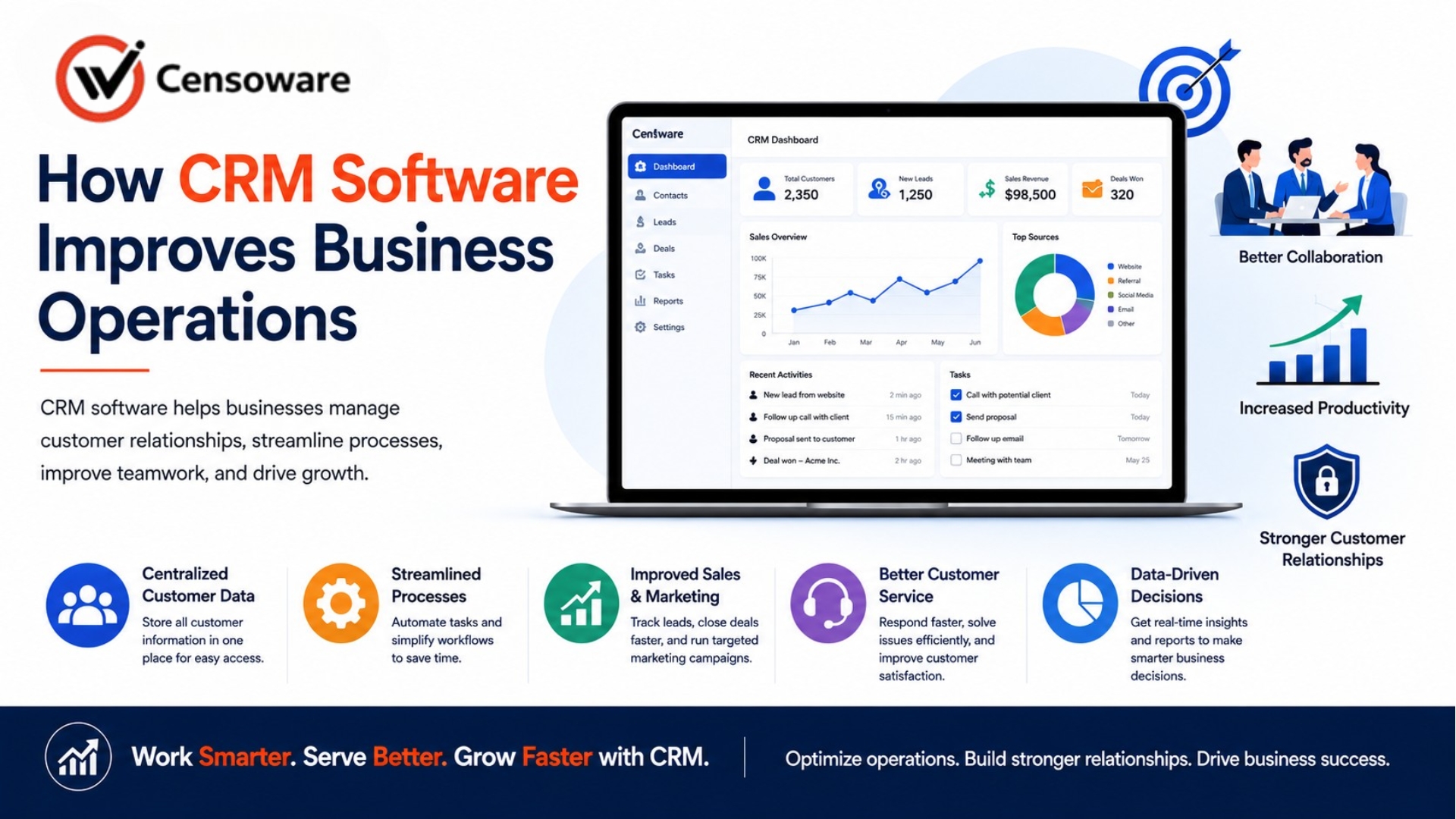
How CRM Software Improves Business Operations
Every business today runs on relationships. With customers, with prospects, with the clients who keep revenue flowing. But as a company grows, managing those relationships through spreadsheets and email threads becomes increasingly unworkable.
- Introduction
- What CRM Software Is
- Centralizing Customer Data
- Improving Sales Performance
- Strengthening Customer Service
- Driving Smarter Marketing
- Business Results That Follow
- Frequently Asked Questions
Follow-ups get missed, customer histories vanish when staff change roles, and sales opportunities slip away simply because no one tracked the next step. Customer Relationship Management software, known as CRM, was built specifically to solve this problem at scale. Every business runs on relationships. With customers, with prospects, with the clients who keep revenue flowing.
What This Guide Covers
- What CRM software is and how it works.
- How CRM centralizes customer data across teams.
- Ways CRM improves sales performance and forecasting.
- How customer service benefits from CRM tools.
- The connection between CRM and smarter marketing.
- Frequently asked questions.
This guide explains how CRM software improves business operations, why it matters for teams beyond just sales, and how to build the case for adopting or upgrading your CRM system.
What CRM Software Is
CRM stands for Customer Relationship Management. A CRM system is a centralized platform where all information related to customers and prospects is stored and managed. This includes contact details, communication history, purchase records, support interactions, notes from meetings, and any other touchpoint between your business and the people it serves.
Modern CRM platforms have evolved far beyond digital address books. Today they support full sales pipelines, automated marketing sequences, customer service ticketing, performance dashboards, and integrations with dozens of other business tools. Platforms like Salesforce, HubSpot, Zoho CRM, and Microsoft Dynamics 365 are used by businesses of every size, from solo consultants to global enterprises.
The core purpose remains constant across all of them: helping your business build stronger, more consistent, and more profitable relationships with the people it serves.
Centralizing Customer Data
One of the most impactful changes a CRM brings is the centralization of customer information. In most businesses that have grown organically, data is scattered. It lives in individual inboxes, on personal spreadsheets, in the notes of sales reps who may no longer work at the company, and across disconnected software tools that do not communicate with each other.
A CRM brings all of this into one place. Every call, email, meeting, proposal, and transaction is recorded and linked to a single customer record. Any team member can pull up a contact and see the complete history of that relationship in seconds, regardless of who handled it before them.
This unified view has practical effects across the organization. Sales reps do not start calls without context. Service agents do not ask customers to repeat themselves. Managers can see the current state of every account without chasing updates from their team. The entire organization operates with shared, accurate, up-to-date information.
Improving Sales Performance
CRM software delivers some of its clearest benefits to sales teams. A well-configured CRM gives every sales rep a structured pipeline showing where each prospect stands in the buying process, from first contact through proposal to signed agreement.
Structured Pipeline
Reps can track every lead, log call notes, attach documents, set follow-up reminders, and move deals through pipeline stages with minimal friction. This structure ensures that no opportunity is forgotten.
Real-Time Forecasting
For sales managers, CRM dashboards provide real-time visibility into team activity and deal progress. They can forecast revenue based on probability-weighted opportunities and identify coaching opportunities.
Process Automation
CRMs can automatically send follow-up emails, alert reps when prospects revisit key pages, and assign incoming leads based on territory, removing significant manual workload.
Strengthening Customer Service
Customer service teams gain equally important advantages from CRM adoption. When a customer contacts support, the handling agent immediately sees the complete picture: purchase history, prior support cases, and open issues.
Agents resolve problems faster because they understand the situation before the customer finishes explaining it. Customer satisfaction improves because every interaction feels informed and personal rather than generic.
Improved Resolution Standards
Built-in ticketing systems and automated case routing help support teams manage high volumes while maintaining consistent response standards. Self-service portals integrated with the CRM allow customers to find answers quickly.
Driving Smarter Marketing
Marketing teams unlock significant advantages when CRM data is available to them. Because the CRM holds detailed profiles, marketers can segment audiences precisely and deliver messages that are genuinely relevant.
Rather than sending one promotion to your entire database, you can target customers who purchased a specific product recently. CRM analytics show which campaigns generated actual revenue, allowing budget decisions based on evidence rather than guessing.
Business Results That Follow
The cumulative effect of centralized data, structured sales processes, informed customer service, and targeted marketing is a measurable improvement in business performance. Research consistently shows higher lead conversion rates, shorter sales cycles, and stronger customer retention.
Operational efficiency improves because less time is spent searching for information or coordinating internally. The CRM becomes the operating system for the customer-facing parts of the business, enabling teams to operate at a higher level than those that do not.
Frequently Asked Questions
How long does it take to implement a CRM system?
Simple CRM setups can be live within days. More complex configurations with custom workflows, integrations, and data migrations typically take several weeks to a few months depending on scope.
Can small businesses benefit from CRM software?
Absolutely. Even businesses with a few dozen customers benefit from having organized records and structured follow-up processes. Many platforms offer plans designed for small teams.
What is the difference between CRM and marketing automation?
CRM manages customer relationships and sales pipelines. Marketing automation handles campaign execution. Most modern platforms combine both in one integrated system.
How do I get my team to actually use the CRM?
Involve the team in configuration, automate tedious tasks, and keep required data entry to a minimum. Management reporting through the CRM also reinforces consistent use.
Does a CRM integrate with other business tools?
Yes. Modern CRM platforms integrate with email, calendars, accounting software, and customer support platforms to reduce duplicate data entry.
Conclusion
CRM software is one of the highest-leverage investments a business can make in its customer-facing operations. It gives teams the information they need, the structure that prevents opportunities from being lost, and the data that makes continuous improvement possible.
The businesses that get the most from CRM are those that treat it as an operational foundation. When the entire team uses it consistently, the CRM becomes a competitive advantage that improves the customer experience at every touchpoint.