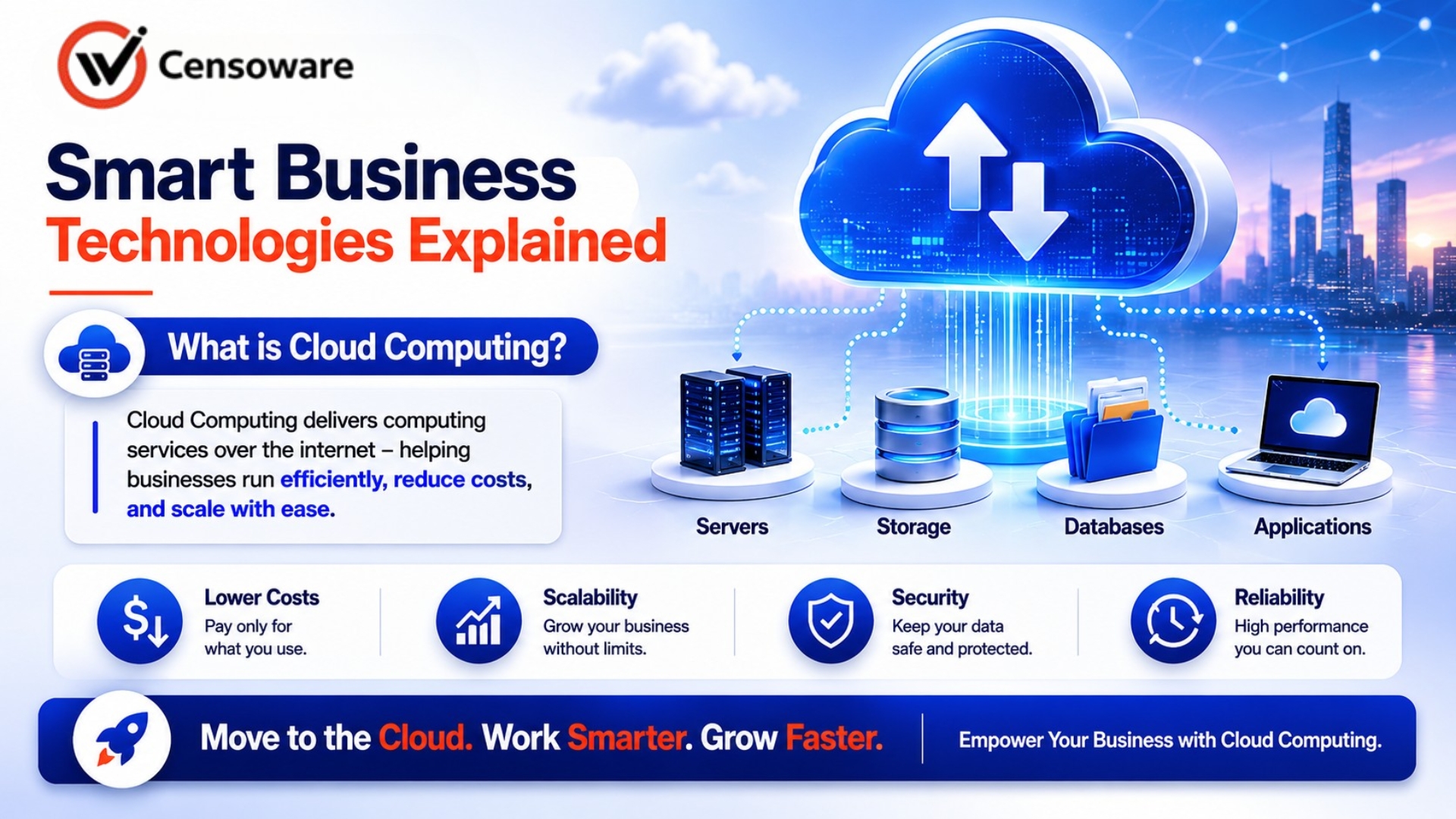
What is cloud computing?
Every business today runs on data, and that data needs a place to live. For decades, companies stored their files, software, and servers inside their own offices. That model is rapidly giving way to something far more efficient, flexible, and cost-effective: cloud computing.
- Introduction
- What Cloud Computing Means
- How the Cloud Works
- Types of Cloud Environments
- Key Benefits for Businesses
- Cloud Security and Common Myths
- How to Get Started
- Frequently Asked Questions
Whether you run a small business, a growing startup, or a large enterprise, understanding cloud computing is no longer optional. It is the infrastructure that modern operations are built on. Every business today runs on data, and that data needs a place to live. For decades, companies stored their files, software, and servers inside their own offices. That model is rapidly giving way to something far more efficient, flexible, and cost-effective: cloud computing.
What This Guide Covers
- What cloud computing means and how it works.
- The three main types of cloud environments.
- Key benefits of cloud computing for businesses.
- How cloud security actually works.
- How to get started with cloud adoption.
- Frequently asked questions.
This guide explains what cloud computing is, how it works, why businesses are moving to it, and how your organization can start benefiting from it today.
What Cloud Computing Means
Cloud computing is the delivery of computing services over the internet. These services include servers, storage, databases, networking, software, analytics, and intelligence. Instead of buying and maintaining physical hardware inside your building, you access these resources on demand from a cloud provider and pay only for what you actually use.
Think of it like the electricity supply to your office. You do not build your own power station. You simply connect to the grid and pay for the power you consume each month. Cloud computing works the same way for your IT needs. The provider maintains the hardware, ensures it stays online, applies security updates, and scales capacity as demand changes, while you focus entirely on running your business.
Cloud services are grouped into three delivery models. Infrastructure as a Service, or IaaS, gives you raw computing resources like virtual machines and storage. Platform as a Service, or PaaS, provides a development environment for building and deploying applications. Software as a Service, or SaaS, delivers complete, ready-to-use applications through a web browser. Tools like Gmail, Microsoft 365, and Salesforce are everyday SaaS examples most businesses already use.
How the Cloud Works
Cloud computing relies on large data centers operated by providers like Amazon Web Services, Microsoft Azure, and Google Cloud Platform. These facilities contain thousands of servers running continuously, with redundant systems so that if one server fails, your data and applications remain accessible through another.
When you save a file to Google Drive, process a payment through Stripe, or run a video call on Zoom, you are using cloud infrastructure. Your device sends a request over the internet to remote servers, which process and return the result in milliseconds. Everything happens invisibly, with no manual IT work required on your end.
The technology that makes this possible is called virtualization. It allows a single physical server to be divided into many independent virtual machines, each running separately. This lets cloud providers serve thousands of businesses from the same hardware while keeping all their data completely isolated from one another.
Types of Cloud Environments
Businesses choose from three main cloud environments depending on their needs, budget, and compliance requirements.
Public Cloud
A public cloud is owned and operated by a third-party provider and accessed over the internet. Resources are shared among multiple customers but kept private through strong security controls. This model suits startups and growing businesses that need flexibility without large upfront investment.
Private Cloud
A private cloud is dedicated to a single organization. It may be hosted on-site or by a third-party provider, but the resources are not shared with anyone else. This option fits companies in regulated industries such as healthcare, finance, or government where strict data privacy is required.
Hybrid Cloud
A hybrid cloud combines both models. Sensitive data and critical systems live on a private cloud, while general workloads run on public cloud infrastructure. This approach gives businesses the security of a private environment alongside the scalability and cost advantages of a public one.
Key Benefits for Businesses
The advantages of cloud computing go well beyond storing files online. They reshape how businesses operate, compete, and grow.
Cost Savings
Traditional IT requires large capital spending on servers, data centers, and ongoing maintenance. The cloud converts those fixed costs into variable ones. You pay for what you use, which frees up capital for sales, product development, and customer experience instead of IT infrastructure.
Scalability
Business needs can change overnight, especially during product launches or seasonal peaks. Cloud infrastructure scales up in minutes when demand rises and scales back down when it falls. There is no need to purchase hardware for peak capacity that sits unused the rest of the year.
Remote Accessibility
Cloud applications and data can be reached from any device, anywhere, at any time. This supports distributed teams, mobile employees, and global operations without requiring complex technical setups.
Business Continuity
Data is backed up automatically across multiple locations. If hardware fails or a security incident occurs, operations can be restored quickly, often within minutes rather than days.
Accelerated Innovation
Development teams can set up test environments instantly, try new tools without large commitments, and deploy updates faster. Shorter cycles from idea to launch allow businesses to respond to market changes before competitors do.
Cloud Security and Common Myths
Security is the most common concern businesses raise about cloud adoption. The reality is that leading cloud providers invest far more in security than most individual organizations ever could. AWS, Azure, and Google Cloud spend billions each year on cybersecurity infrastructure, certifications, and compliance programs.
Security in the cloud is a shared responsibility. Providers secure the underlying infrastructure, while businesses are responsible for how they configure their applications, manage user access, and handle sensitive data. A properly managed cloud environment is typically more secure than an on-premises system maintained by a small internal IT team.
Myth: Losing Control
One common myth is that moving to the cloud means losing control of your data. You retain full ownership of everything you store. Service agreements clearly define how providers handle, protect, and restrict access to your information.
Myth: Only for Enterprises
Another myth is that cloud services are only for large enterprises. Today every major cloud platform offers pricing and packages specifically designed for small and medium-sized businesses, with costs that scale to their actual usage.
How to Get Started
Moving to the cloud does not need to happen all at once. Most businesses begin by migrating low-risk workloads such as email, file storage, or collaboration tools, then gradually transition more complex systems like databases or core business applications.
A cloud readiness assessment is a practical first step. This involves reviewing your current systems, identifying which applications are suitable for migration, and understanding what security or compliance requirements apply to your industry.
Choosing the right provider depends on your specific situation. Consider data center locations, pricing models, the range of services available, support quality, and any compliance certifications relevant to your sector.
Cloud computing is not simply a technology upgrade. It is a strategic business decision. Organizations that adopt cloud infrastructure effectively gain advantages in speed, cost control, and access to advanced capabilities like artificial intelligence and data analytics.
Frequently Asked Questions
What is the difference between cloud storage and cloud computing?
Cloud storage refers specifically to storing files remotely. Cloud computing is broader and includes storage, processing, software, and services all delivered over the internet.
Is cloud computing safe for sensitive business data?
Yes, when properly configured. Leading cloud providers meet rigorous security standards and compliance certifications. Businesses are responsible for managing access and configuration on their side.
How much does cloud computing cost for a small business?
Costs vary widely depending on usage. Many providers offer free tiers for light use and pay-as-you-go pricing that scales with your needs. It is often far less than maintaining on-premises hardware.
Can a business run entirely on the cloud?
Yes. Many modern businesses operate with no on-premises servers at all. All systems, applications, and data live in cloud environments accessible from anywhere.
What happens if the cloud provider goes down?
Major providers design their infrastructure for high availability with redundancy across multiple locations. Downtime events are rare and short. Businesses can also use multi-cloud strategies to reduce dependency on a single provider.
Conclusion
Cloud computing has become the operating foundation for businesses that want to move fast, control costs, and build for growth. The technology removes the burden of managing physical infrastructure and replaces it with flexible, scalable services that adapt to your business needs.
The shift to cloud is not just a technical decision. It is a business decision that affects productivity, agility, and long-term competitiveness. Organizations that make this transition thoughtfully gain a durable advantage over those that continue relying on outdated, rigid infrastructure.
Cloud computing is the infrastructure that modern operations are built on. Organizations that adopt it effectively gain structural advantages that determine which businesses lead their segments.