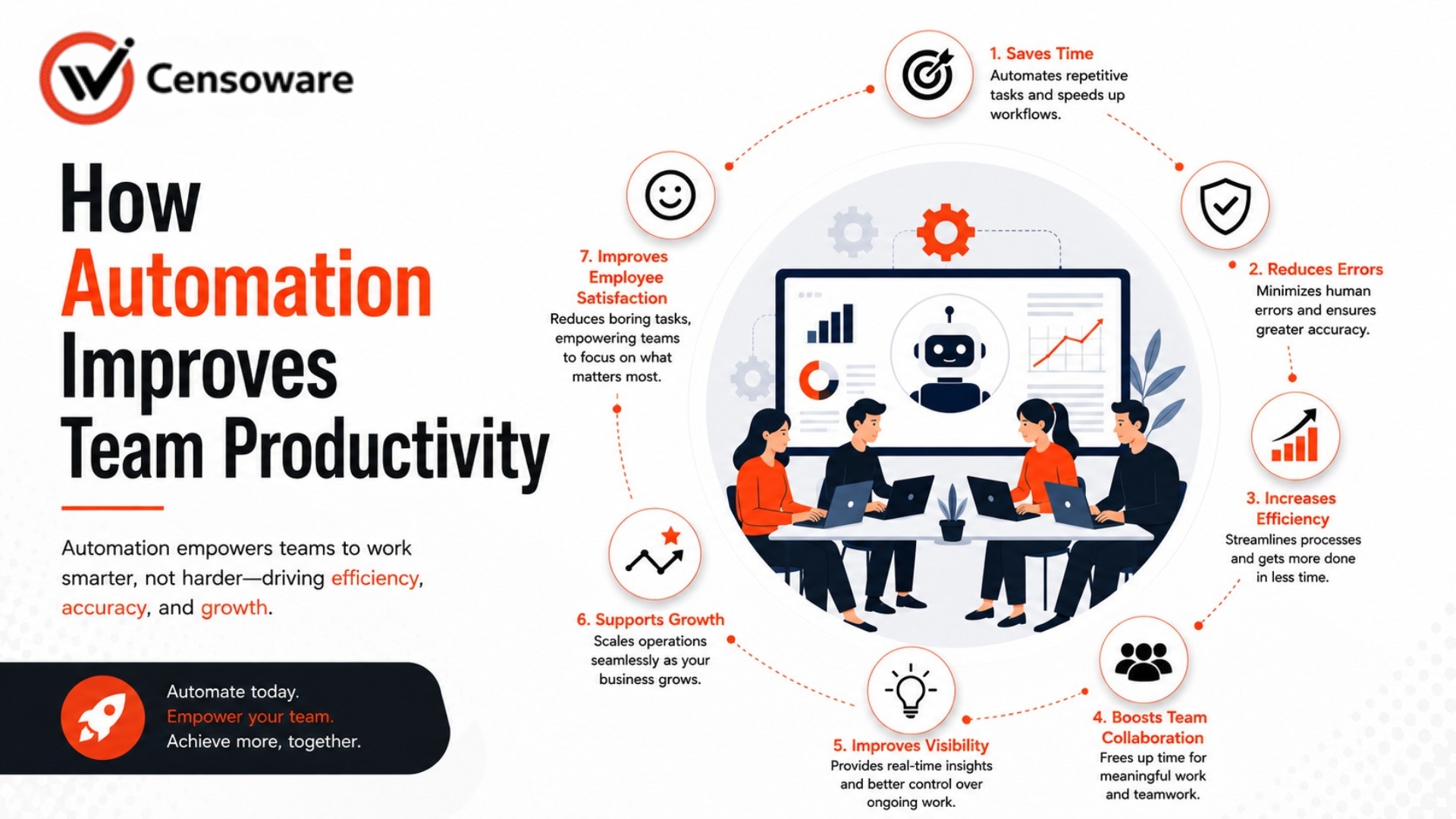
How Automation Improves Team Productivity
Teams that operate with smart automation consistently outperform those that rely on manual effort. Learn how to build an automation strategy for your team.
- Introduction
- What Automation Means in a Business Context
- Why Manual Processes Drain Productivity
- How Automation Saves Time Across Departments
- Common Types of Automation Tools
- How to Identify What to Automate First
- Frequently Asked Questions
Automation is one of the most direct ways to improve how a team works. By removing repetitive manual steps from daily workflows, businesses free their people to focus on the work that actually requires human judgment, creativity, and relationship-building. Teams that operate with smart automation consistently outperform those that rely on manual effort for the same tasks.
This guide explains how automation improves productivity, which types of tasks benefit most, and how to build an automation strategy that creates lasting results without disrupting your team.
What This Guide Covers
- What automation actually means in a business context.
- Why manual processes are one of the biggest productivity drains.
- The specific ways automation saves time across departments.
- Common types of automation tools and what they do best.
- How to identify which processes should be automated first.
What Automation Means in a Business Context
Automation is the use of software or systems to complete tasks that would otherwise require manual human effort. This ranges from simple rule-based actions like auto-sending emails to complex workflows like routing approvals across departments or syncing data between platforms.
Automation does not mean replacing people. It means giving them better tools so they can apply their time to work that genuinely benefits from human attention. A sales representative freed from manual data entry can spend more time speaking with prospects, while an operations manager can act on insights rather than compiling reports by hand.
Why Manual Processes Drain Productivity
Manual processes are expensive in ways that are not always obvious. While they may feel comfortable, they create problems that compound over time:
- Time Consumption: Tasks that software handles in seconds can take minutes for an employee, aggregating into significant lost time.
- Error Risk: Human data entry and multi-step manual procedures are naturally prone to mistakes, creating costly downstream corrections.
- Scalability Issues: Without automation, growth requires hiring more people to handle routine tasks rather than redirecting investment toward higher-value roles.
How Automation Saves Time Across Departments
Sales and Customer Management
Lead capture, follow-up triggers, meeting reminders, and CRM updates can all be automated, leaving sales teams more time for actual conversations.
Operations and Project Management
Task assignments, approval routing, and status updates trigger automatically, reducing the back-and-forth that slows projects down.
Finance and Reporting
Automated reporting pulls data from connected systems to provide accurate financial information without manual administration.
Customer Support
Ticket routing, auto-acknowledgements, and self-service tools improve response times and allow staff to focus on complex cases.
Common Types of Automation Tools
The Automation Toolkit
- Workflow Platforms: Define rules that trigger sequences (e.g., onboarding steps).
- Integrated Dashboards: Collect and display real-time data in one place.
- Communication Automation: Ensure the right messages reach people without manual management.
- Data Sync Tools: Share data across CRM, inventory, and finance platforms automatically.
How to Identify What to Automate First
- Audit Frequency: List tasks your team performs most often each week.
- Check Repeatability: Identify which tasks follow a consistent, repeatable process.
- Estimate Time: Calculate how much time the task consumes across the team.
- Rank Impact: Prioritize by time saved, error risk, and frequency.
- Start Small: Begin with one well-defined automation and measure results.
Frequently Asked Questions
Will automation make some roles redundant?
Automation reallocates time rather than eliminating roles. People spend less time on repetition and more on work requiring judgment and creativity.
How long does it take to see results from automation?
Many automations create visible time savings within weeks. More complex systems show measurable ROI within the first quarter.
Is automation difficult for teams to adopt?
Well-designed automation feels simple because it removes steps. Involving teams in the design process ensures smoother adoption.
Can automation work alongside our existing systems?
Yes. Custom solutions can be built to integrate with whatever systems your business already uses.
Where should a small business start?
Start with the high-frequency task that follows the most consistent pattern. Even one automated process can justify expanding further.
Final Thoughts
Automation is a practical tool for any business that wants its team to work smarter. By removing repetitive steps, automation frees people to focus on driving growth and improving service.
Censoware designs automation solutions specific to how your business operates, ensuring a smooth transition and real results. Ready to automate your success?