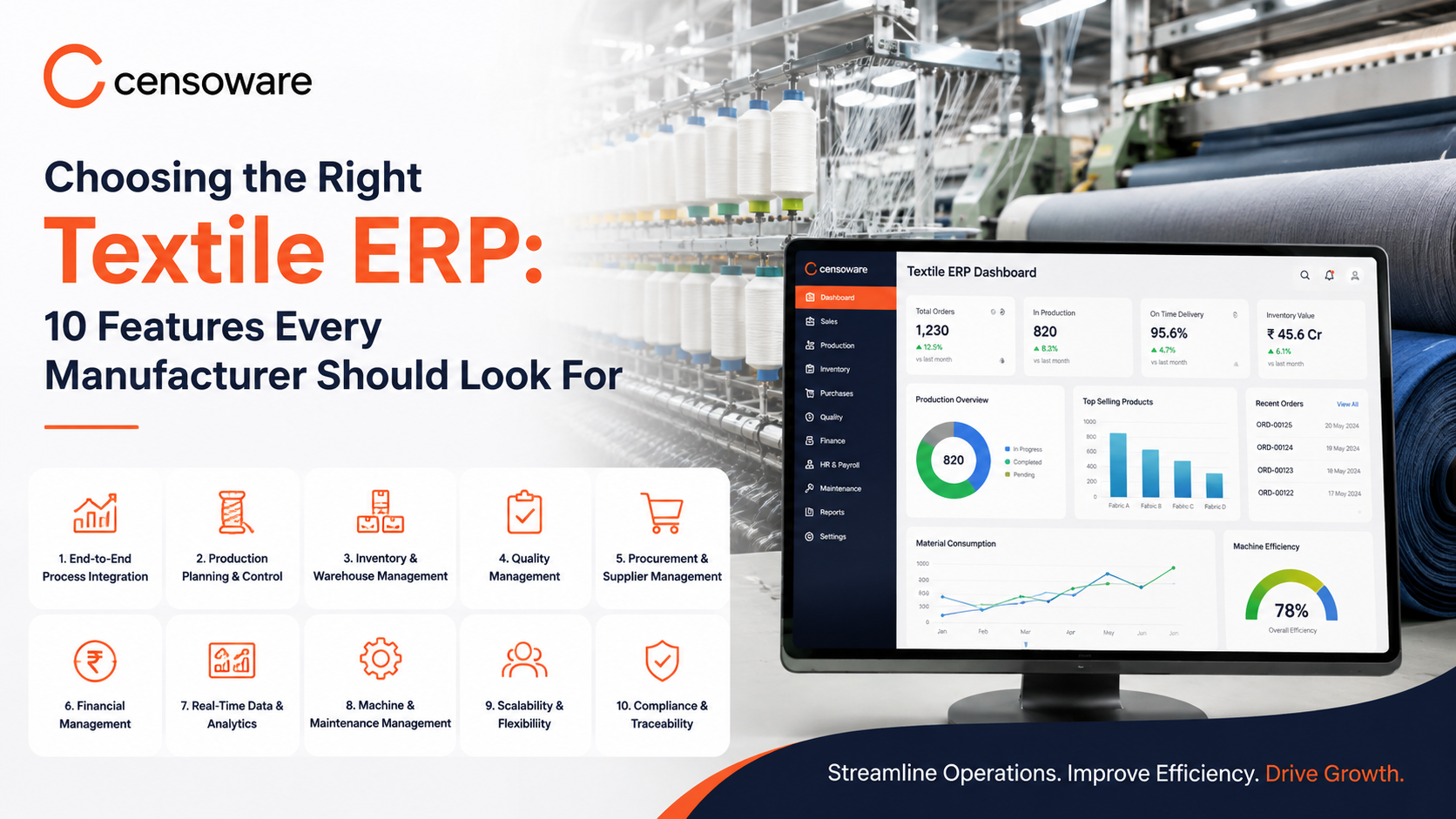
Choosing the Right Textile ERP: 10 Features Every Manufacturer Should Look For
A practical evaluation guide covering inventory tracking, production planning, quality control, GST compliance, mobile access, and CRM integration.
- Introduction
- 1. Inventory Management Built for Textile Stock
- 2. Purchase and Sales Management
- 3. Production Planning
- 4. Quality Control Tracking
- 5. Finance and Accounting Integration
- 6. GST and E-Invoicing Compliance
- 7. Mobile Dashboard Access
- 8. Business Analytics
- 9. CRM Integration
- 10. Cloud Accessibility
- Using This Checklist During Vendor Evaluation
- Frequently Asked Questions
Not every ERP system built for general manufacturing fits the specific needs of a textile business, where yarn counts, fabric batches, dye lots, and garment sizing all require a level of detail that generic systems often miss. Choosing the wrong system can mean paying for features that go unused while still relying on spreadsheets for the parts of the business that matter most.
This guide breaks down ten features that matter most when evaluating Textile Management Software, so manufacturers can compare options with a clear, practical checklist rather than relying on a vendor's feature list alone. A system that scores well on this checklist is far more likely to remain useful as the business grows, rather than becoming another tool that gets abandoned in favor of spreadsheets within the first year.
What This Guide Covers
- The core operational features a textile ERP system needs to cover.
- Why GST, e-invoicing, and mobile access matter for day-to-day use.
- How business analytics and CRM integration extend ERP beyond operations.
- A practical checklist to use while evaluating ERP options.
1. Inventory Management Built for Textile Stock
The system should track yarn, fabric, and finished goods separately by count, color, and batch, not as generic stock items. This level of detail is what separates a Best Textile ERP option from a general-purpose system that was adapted for textiles after the fact. During evaluation, ask a vendor to demonstrate exactly how their system records a batch of dyed fabric, rather than accepting a generic answer about inventory tracking.
2. Purchase and Sales Management
Purchase orders, supplier records, and sales orders should be connected directly to inventory and production, so a purchase automatically updates available stock and a sales order automatically checks it against production capacity. This connection is what prevents duplicate purchases and overcommitted sales orders, two of the most common and costly mistakes in manual operations.
3. Production Planning
Look for a planning module that shows machine availability, job sequencing, and material readiness together, rather than treating production scheduling as a separate spreadsheet exercise outside the main system. A good planning module should make it obvious at a glance where there is spare capacity and where a bottleneck is forming.
4. Quality Control Tracking
ERP Features around quality should allow inspection results to be recorded at multiple stages, not just at final packing, so recurring issues can be traced back to their source batch or process step. This staged tracking is far more useful than a single pass or fail mark applied only at the very end of production.
5. Finance and Accounting Integration
Costing, invoicing, and accounts should draw directly from purchase and production data rather than requiring manual re-entry, so financial reports reflect actual operational activity. Without this integration, the accounts department ends up maintaining a second, separate record that can drift out of sync with what is actually happening on the floor.
6. GST and E-Invoicing Compliance
For any textile business operating in India, built-in GST calculation and e-invoicing support is not optional; it saves significant time and reduces the risk of compliance errors during audits. Confirm that the system stays updated with current GST rules, since compliance requirements do change from time to time.
7. Mobile Dashboard Access
A mobile dashboard allows owners and managers to check stock, order status, and production progress from anywhere, which matters especially for businesses managing multiple units or frequent travel. A well-designed mobile view should surface the handful of numbers that matter most, rather than trying to cram the entire desktop interface onto a small screen.
8. Business Analytics
Beyond basic reports, look for analytics that highlight trends, such as which products are most profitable or which customers generate the most repeat business, turning raw data into decisions rather than just numbers on a screen. The best analytics features answer a specific business question clearly, rather than presenting a wall of charts that require additional interpretation.
9. CRM Integration
Customer order history, communication records, and payment status should be visible in one place, so sales staff can manage relationships without switching between the ERP and a separate contact list or messaging app. This becomes especially valuable when a customer calls to ask about an order and the staff member handling the call was not the one who originally took it.
10. Cloud Accessibility
Cloud-based access means the system does not depend on a single computer or server at one location, which matters for businesses with multiple units, remote staff, or plans to scale in the near future. It also simplifies backups and updates, since these are handled centrally rather than requiring someone on-site to manage a physical server.
Using This Checklist During Vendor Evaluation
When comparing vendors, it helps to score each option against these ten features rather than being swayed by a single impressive demo screen. Ask each vendor to show, not just describe, how their system handles a textile-specific scenario, such as recording a dye batch or generating a GST-compliant invoice, since the difference between a genuinely textile-focused ERP and a relabeled generic system usually becomes obvious at this level of detail.
It is also worth asking existing customers in the textile industry about their experience with ongoing support, since implementation is only the beginning; the value of Textile Management Software really shows up in how well it is supported as the business continues to grow and its requirements evolve.
Frequently Asked Questions
1. Do all ten features need to be used from day one?
No. Most manufacturers start with inventory, production, and purchase modules and add finance, CRM, or analytics features as the team becomes comfortable with the system.
2. What is the biggest mistake manufacturers make when choosing ERP?
Choosing a generic manufacturing system that lacks textile-specific inventory and batch tracking, which often means falling back to spreadsheets for the details that matter most.
3. Is cloud-based ERP secure enough for financial data?
Reputable Textile Management Software providers use encryption and access controls that meet standard business security requirements, making cloud access both convenient and secure.
4. How important is mobile access compared to other features?
For owners managing day-to-day decisions on the move, mobile access is often one of the most used features, even though it is sometimes treated as a minor add-on during evaluation.
5. Should CRM be a priority for a small textile manufacturer?
If repeat customers and order follow-ups are important to the business, CRM integration is worth prioritizing early rather than treating it as a later addition.
Final Thoughts
Selecting the right ERP is less about finding the system with the longest feature list and more about finding one that genuinely fits how a textile business operates, from yarn counts to GST filing to daily customer follow-ups.
Manufacturers who evaluate options against this ten-point checklist are far better positioned to choose a Best Textile ERP that will still be useful two or three years from now, rather than one that needs to be replaced once the business outgrows it.
Censoware builds custom Textile ERP systems feature-matched to your exact manufacturing requirements. Evaluating ERP solutions for your business?